
🧵 Stitching It Together: Modern Quilt Guild 🧵
Finding Your Communities
Every MQG member is automatically included in the All MQG Member Community. Since you belong to the Portland Modern Quilt Guild, you’ll also have access to our guild’s private community space.
Start by logging into the Modern Quilt Guild
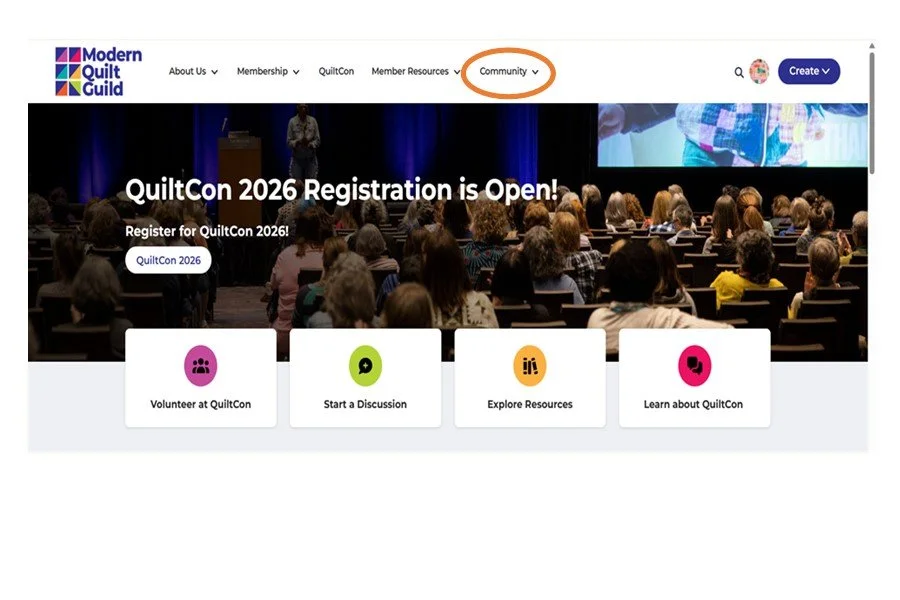
To navigate your communities:
View the communities you’re part of:
Community → My Communities
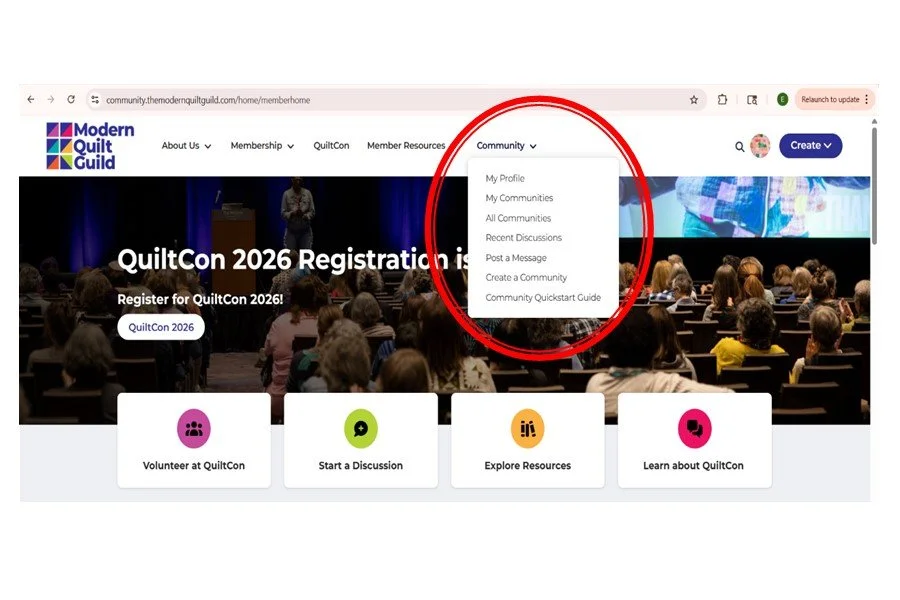
Three Easy Ways to Get Started in Communities
Start your MQG Community experience with these simple steps to feel connected right away:
1. Complete Your Profile: If you haven’t done this yet, take a look at our previous blog post on logging in and setting up your account—it walks you through everything step by step.
2. Update Your Email Settings: This was also covered in the last blog post. This will determine how often you receive your community updates. These options can always be changed.
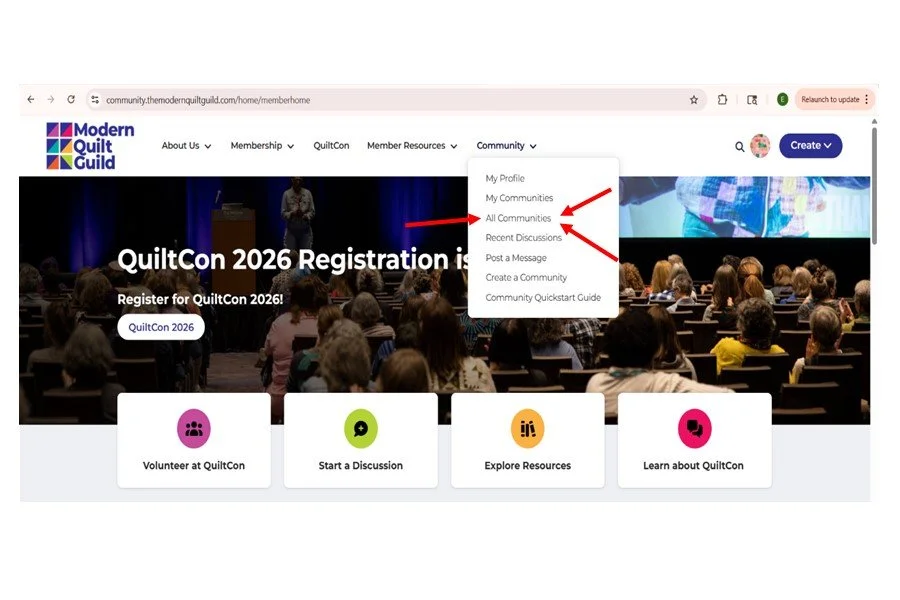
3. Find a New Community: The MQG offers a lot of different communities. These range from specific user communities to common focus-based communities. To find another community to join..
Click on Community → All Communities
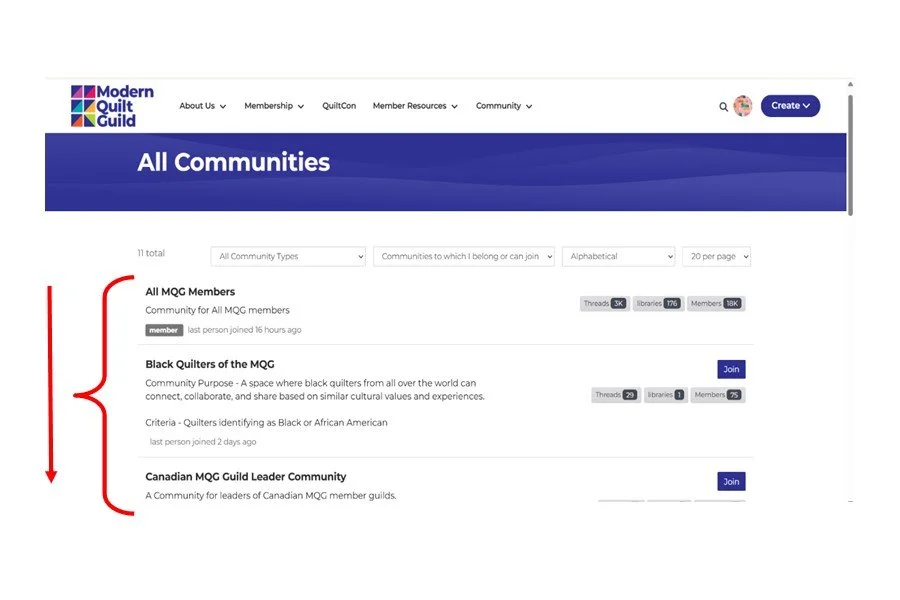
You’ll see a list of possible communities appear. This list will include your current communities. It will also include specialty communities. Some of the communities you might be interested in exploring are:
Black Quilters of the MQG
If a community no longer feels like the right fit, you can leave at any time:
Visit the community page
Click Settings
Select Leave Community
4. Once You’re in a Community, Post Something!
The fastest way to feel at home is to join the conversation.
Introduce yourself in the Introductions thread
Share a fun fact or a little about your quilting journey
Jump into a Show & Tell thread and share what you’re working on
No pressure—every post helps build connection and community.
Join the Conversation
Discover how to:
Start a discussion
Ask a question
Reply to posts or help answer another member’s question
You’ll also find information about following members and sending or accepting contact requests. For the MQG step-by-step guide, look here: https://community.themodernquiltguild.com/blogs/jennifer-fisher/2024/06/08/join-in-the-conversation
Upload an Image
Ready to share your latest quilt? Follow the MQG step-by-step guide to upload images and participate in show-and-tell threads. The guide can be found here: https://community.themodernquiltguild.com/blogs/jennifer-fisher/2024/06/14/upload-an-image
That’s all it takes to get started! Find your communities, join the conversation, and make yourself at home. The MQG Community is better with you in it.