
🧵 Stitching It Together: Modern Quilt Guild 🧵
As new members of the Modern Quilt Guild (MQG), we’re excited to get to know our larger quilting community a little better!
Over the next few weeks, we’ll be sharing a series of informational posts covering:
✨ how to set up your profile
✨ member benefits
✨ where to find important resources
✨ opportunities available to MQG members
Let’s start by getting our profiles set up
Setting up your MQG profile is the first step to accessing national member benefits, resources, and community features. Since you joined through the Portland Modern Quilt Guild, your membership is already in the system—you just need to activate your account.
Key Steps to Set Up Your MQG Profile
1. Initial Setup
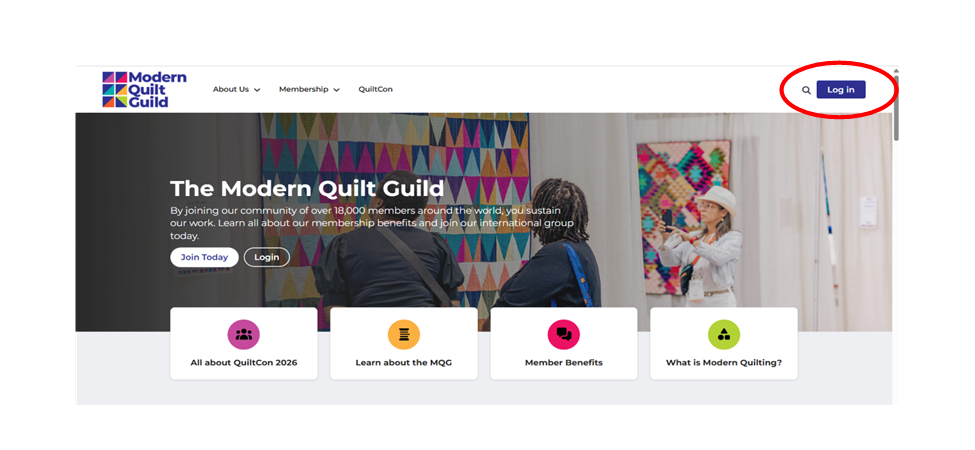
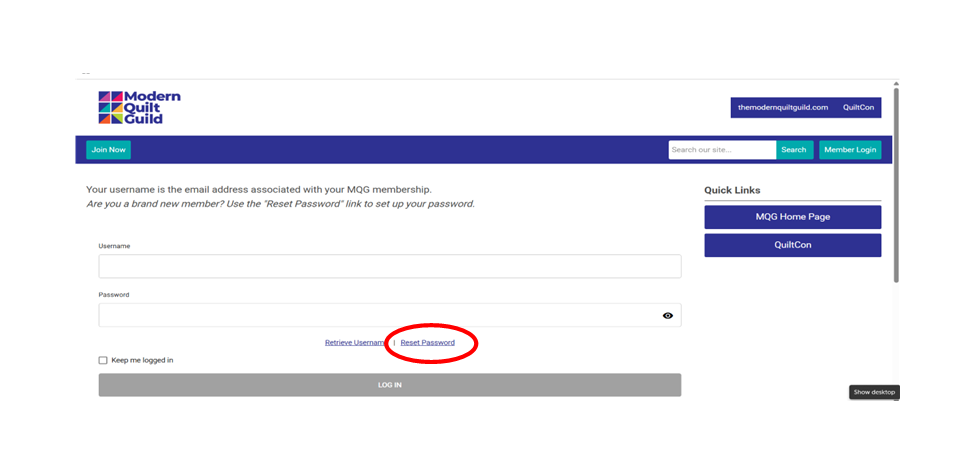
Go to the MQG login page and enter the email address you used when signing up for the Portland Modern Quilt Guild. Click “Reset Password” to create a password for your new account.
Troubleshooting
If you receive an error message saying your email is already in use:
• Use the “Forgot Password” link
• Or contact info@themodernquiltguild.com for assistance
3. Log In & Access
Log in using your email and newly created password. This login connects you to your national MQG benefits.
4. Manage Your Account
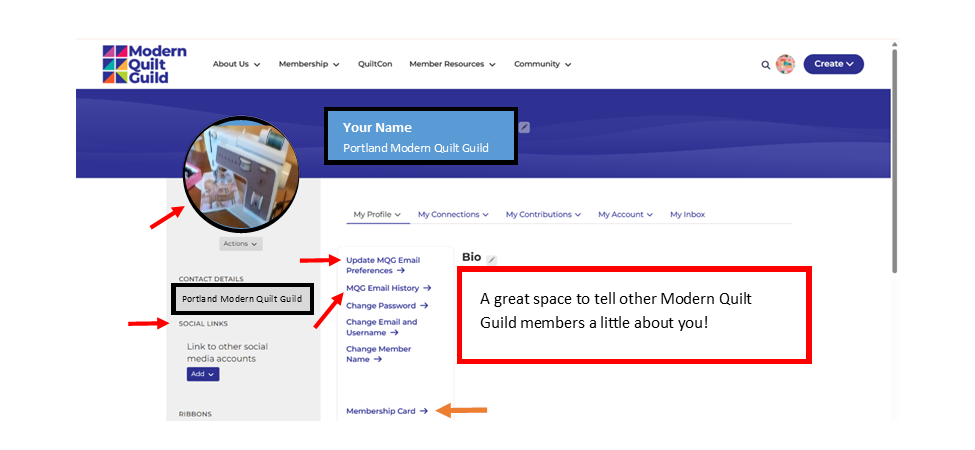
Once logged in, navigate to “My Account” in the upper right-hand corner to:
• Update your personal and profile information
• Fill out a short bio
• Add a profile photo
• Review your membership status
• Access your official MQG membership card (available to download and print)
5. Notifications & Preferences
Customize your experience by updating your Email Preferences and Community Notifications in your profile settings.
You can find more information about MQG notification and email options here:
https://community.themodernquiltguild.com/blogs/jennifer-fisher/2024/06/09/email-notifications
Getting your profile set up ensures you won’t miss out on resources, events, and opportunities available through MQG.